:IF: Autonomi Browser Suite - Unleash Autonomi

managed to find a bit of time to take a look and have a small bug for you I am using all local anttp and d-web.

default AntTp port is now 18888 when I set up my extension in the browser and connection to local AntTp was green on port 18888 I entered the url

91d16e58e9164bccd29a8fd8d25218a61d8253b51c26119791b2633ff4f6b309/start-a-node.png

it tried to load the url on port 8082 not the port set in the settings which is 18888

after manually changing the port in the url to 18888 it worked just fine :slight_smile:

edit same problem with d-web the default listening port for dweb is 5537 so when I enter the site name

dweb main server listening on 127.0.0.1:5537

it tries to load the url on 8083 and fails when I manually change the url to 5537 it works just fine

nice work on this hoping I can find more time to play around with it :slight_smile:

5 Likes

Awesome thanks for testing.

I had assumed people that would be using the extension would be using the local client which lets you change those ports! GitHub - SafeMedia/safebox-client: SafeBox Client

Do you think I should let the user edit both dweb and anttp ports from the extension settings just in case they are not using the local client?

autocode,91d16e58e9164bccd29a8fd8d25218a61d8253b51c26119791b2633ff4f6b309/start-a-node.png,png,400,300

2 Likes

Id say have a setting for it just to keep all angles covered or if you updated your client to the new default ports it would cover the issue as well.

As far as I know know @happybeing and @Traktion have settled on the new defaults and don’t plan any further changes to them.

3 Likes

:bullseye:

2 Likes

Today was spent generating a new release of both the extension and the local client.

The changes were mainly related to updating the binaries in the local client to the latest versions of ant, dweb & anttp. I also updated the default ports for dweb & anttp.

Thanks @aatonnomicc for previous testing that indicated default ports should be updated.

7 Likes

So decided to add uploading via the extension when using the local client, because why not.

Sneak peak:

9 Likes
2 Likes

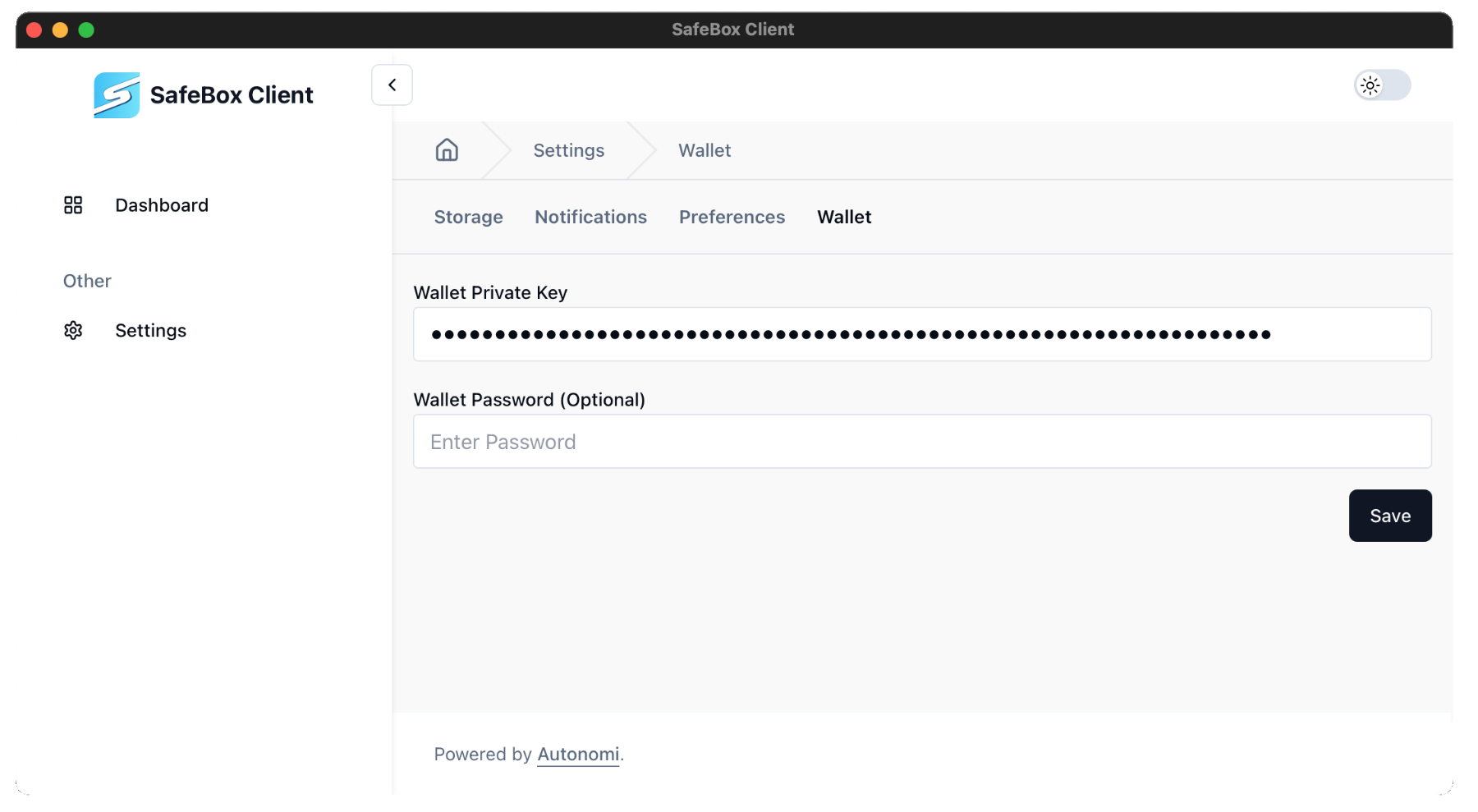
Today I added wallet and upload functionality to the extension and local client.

It works for me right now, but I might need someone to test it on different systems because it’s not polished yet.

I’ve generated new releases too on github.

View from the extension:

View from the local client:

5 Likes

when switching to local client upon install it still defaults to 8084 not 18888

after changing that to 18888 it connected fine and i was able to stream night of the living dead from the extension :slight_smile:

d-web test was also a success I opened Friends from the extension although @riddim has been avoiding me :rofl:

can I test an upload with local only or do i need the client installed @safemedia ?

nice work :slight_smile:

4 Likes

oh sorry - currently using alphanet -.-" …

3 Likes

4 Likes

@aatonnomicc Thanks again

When you type in a port number to the websocket field, all that does is check if there is a valid connection to that port. It does not confirm if it’s actually the correct port for the websocket on the local client. So if you are running anttp for example, typing in 18888 would show connected - but it still wouldn’t be connected to the local client. Perhaps I should put some different popup message for if people type 18888 and 5537.

The reason for this is that it’s impossible for the extension to know the websocket port before hand (as the user might have updated it on the local client - which means it wouldn’t be able to connect). But once the extension is connected, it can retrieve the ant, anttp and dweb ports from the local client - even when they are changed by the user on the local client.

So the default port for the websocket connection to the local client is 8084, which if you are running the local client should just work when you test the local connection.

Using the local client means you can upload files from the extension (and webpages soon via extension) through the local client, which has wallet details.

Because the extension is kind of in a secure enclave, it needs this websocket to be able to pass data (file to be uploaded) down to the ant binary for upload (which I include in the local client).

I’ll have better instructions tomorrow that might make things a little clearer!

1 Like

When we can wait your addon in chrome webstore? Thx

3 Likes

nice one i see what you mean ill try and find time next week to actually have a go with the client side of this :slight_smile:

1 Like

I’m not sure, it needs to be tested quite a bit and is not yet feature complete.

It’s pretty easy to install for now - I will have nice instructions on how to do so tomorrow for you.

3 Likes

I miss those days to but you cant dwell on them :rofl:

4 Likes

I’ve now published the website :rocket:

It should give users a nice on-boarding experience.

11 Likes

This is great :slight_smile:

Just a note that on installing, I only have Anttp on the windows version of the extension on brave, and no Dweb (Edit: just read this is only available in local mode - I will get the client running and retry!). Wallet says coming soon, and upload is greyed out, probably because I don’t have a wallet loaded.

Looking forward to seeing this develop :clap:

Edit: I tried again today, and have the local client running, a wallet registered, and browsing Atlas through it. All good! :tada:

7 Likes

Yes would be good to try with the local client, as it’s required for some features (uploading etc) - and some more to come!

Glad to hear it worked out for you! :saluting_face:

I’m working on the shortcodes feature now and will hopefully have it out in a few days. There was an issue with one of the available endpoints but that should be solved soon. I’ll be adding another endpoint server in the next release of the extension too - but you can always just add endpoint servers manually anyway.

3 Likes

First iteration of the shortcodes system is working.

If the extension finds this on the page it will replace it with the actual content:

replace,91d16e58e9164bccd29a8fd8d25218a61d8253b51c26119791b2633ff4f6b309/start-a-node.png,png,400,300

Change ‘replace’ with autocode, which is the search term.

So if you are using the extension right now, you should see an image below:

autocode,91d16e58e9164bccd29a8fd8d25218a61d8253b51c26119791b2633ff4f6b309/start-a-node.png,png,800,500

This essentially brings autonomi content into clearnet sites, and works with using endpoint and local modes.

Grab the latest release here:

Also added it to the documentation:

5 Likes